Knowledge Ops Platform for SOP Documentation

Create SOPs That Your Employees Can Trust

Turn complex procedures into step-by-step guides employees can find, follow, and trust.

altana-federal-credit-union-trimmed-menu-logo-84b22b60 duke-university-fcu-logo-f6af081c zui4cn6xtrkeg2dncdea 1 logo-color 1 ahcu_main_logo 1

The Challenge

Why Most SOP Projects Don't Work

Most SOP projects start with good intentions but the wrong approach. Teams spend months building documentation without ever asking, “What do our users need to be successful?”

Why ScreenSteps

ScreenSteps is an SOP Platform Built for Employee Performance

ScreenSteps isn’t just about documenting SOPs. It’s about creating SOPs your team can find, follow, and trust right when they need them. That’s what drives confidence, consistency, and independence.

How It Works

Create and Share SOPs with Your Team Fast

Putting trusted answers at employees' fingertips is easier than you think.
With ScreenSteps, you can be up and running in just a week. 

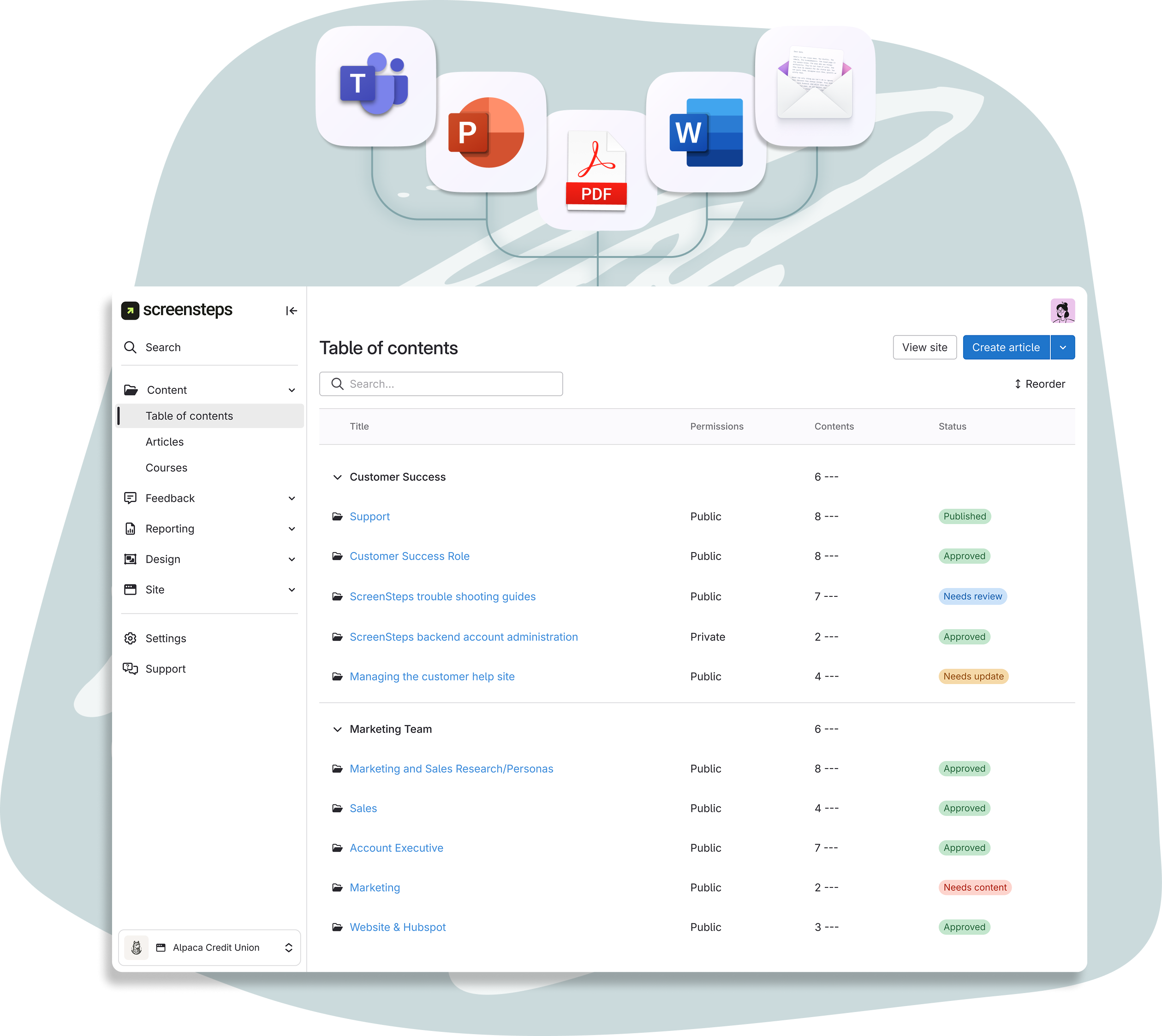
Import + optimize any of your existing, scattered docs

Automatically import and convert existing, scattered documentation into uniform guides that are optimized for search, humans, and AI.
Timeline: 1 day turnaround

Review optimized guides for accuracy

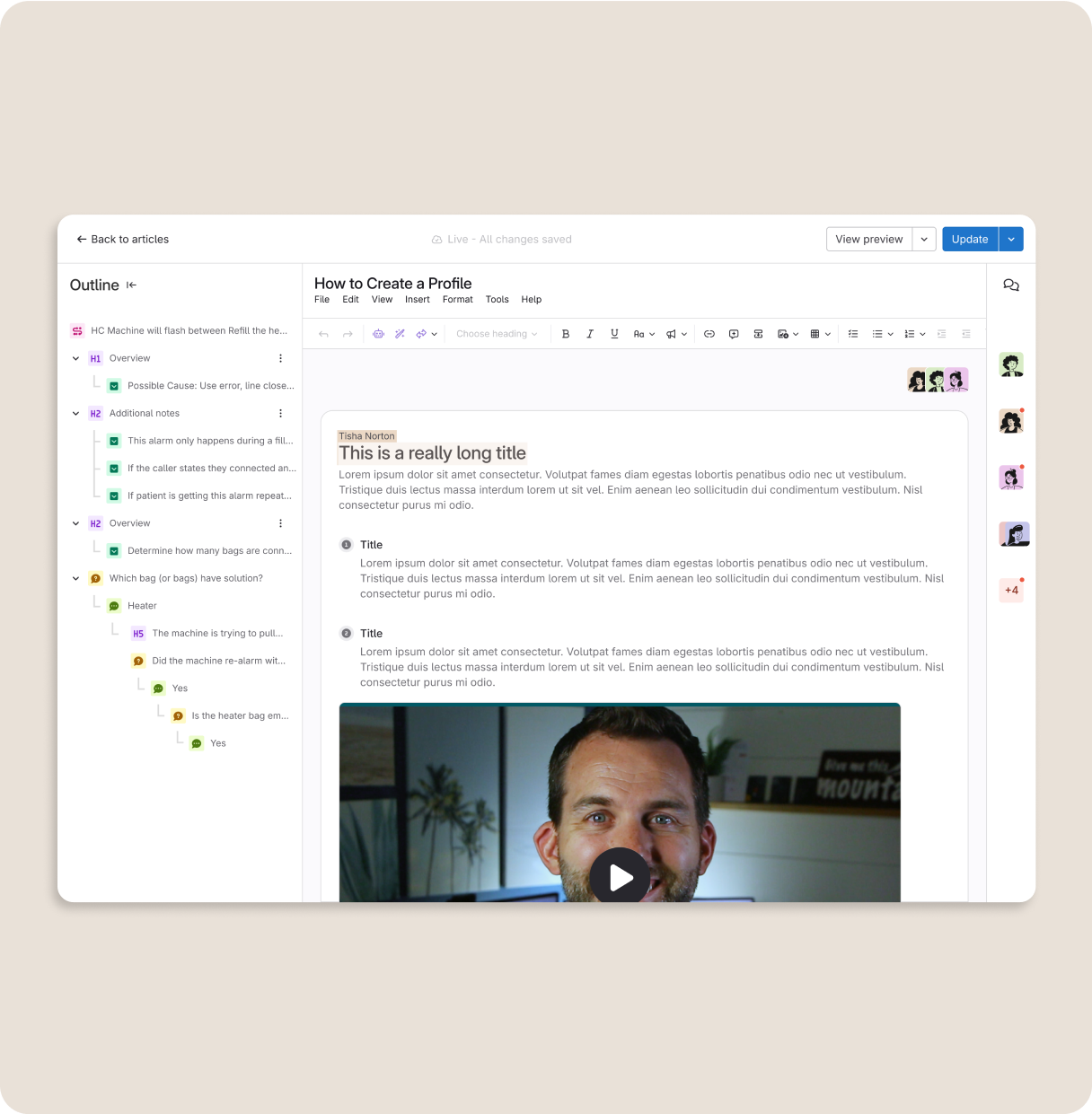
Once your documentation is in ScreenSteps, quickly review for accuracy. Rapid authoring tools make updates quick and easy.
Timeline: 1 hour / day

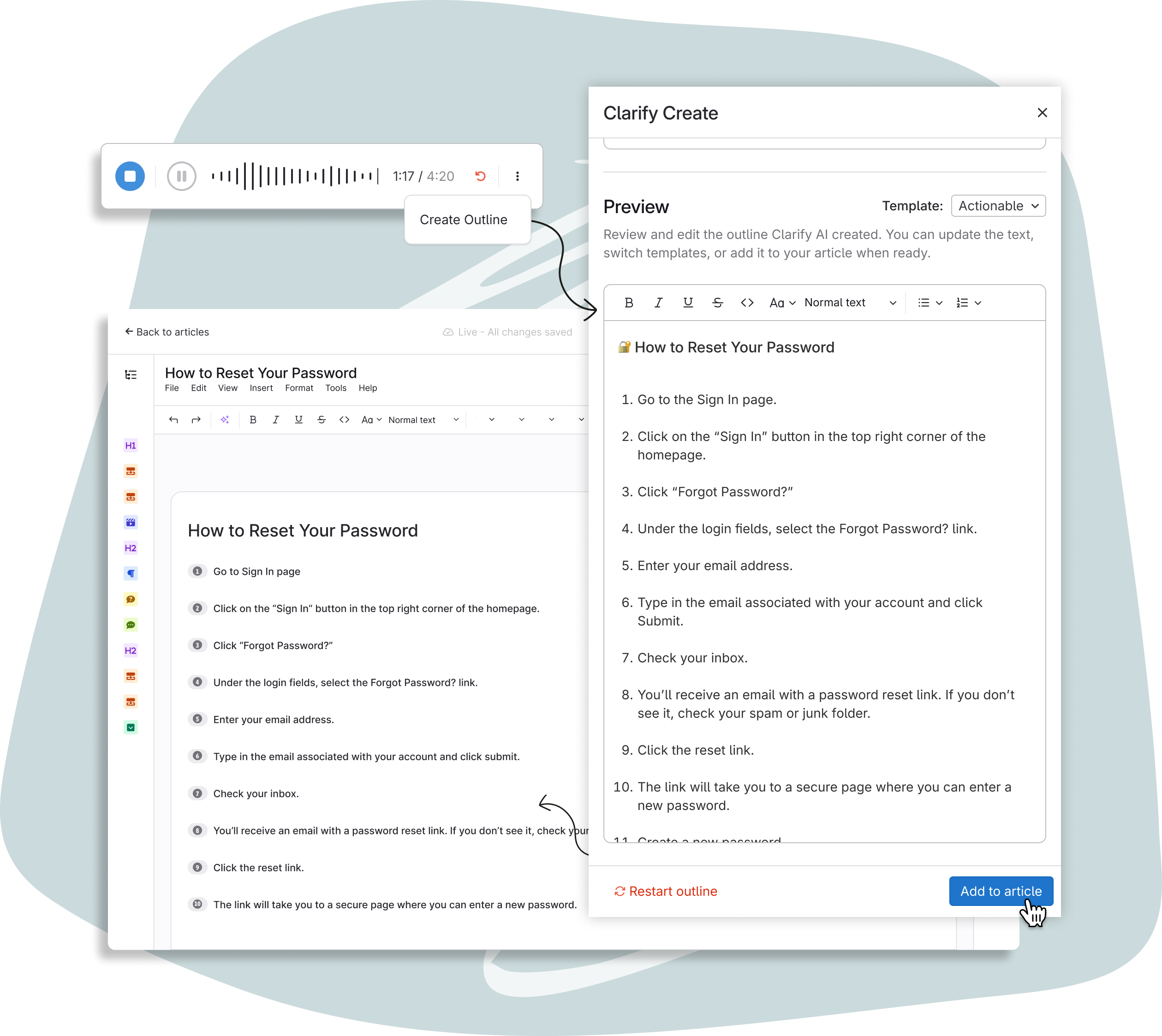
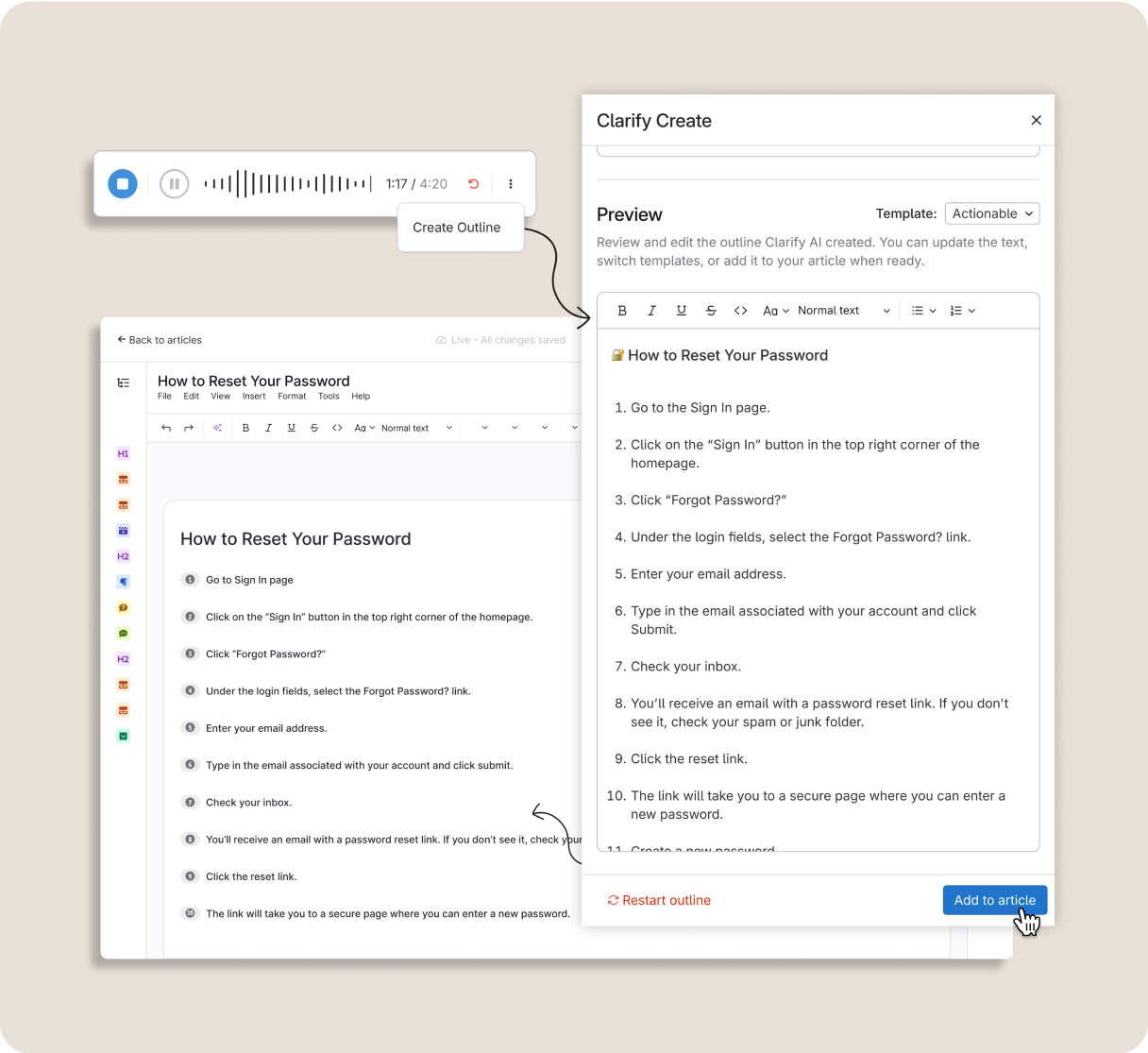
Create new SOPs with AI-powered capture tools

Use Clarify AI to quickly get tribal knowledge out of heads and into dynamic guides that walk employees through complex processes.
Timeline: Create guides in minutes

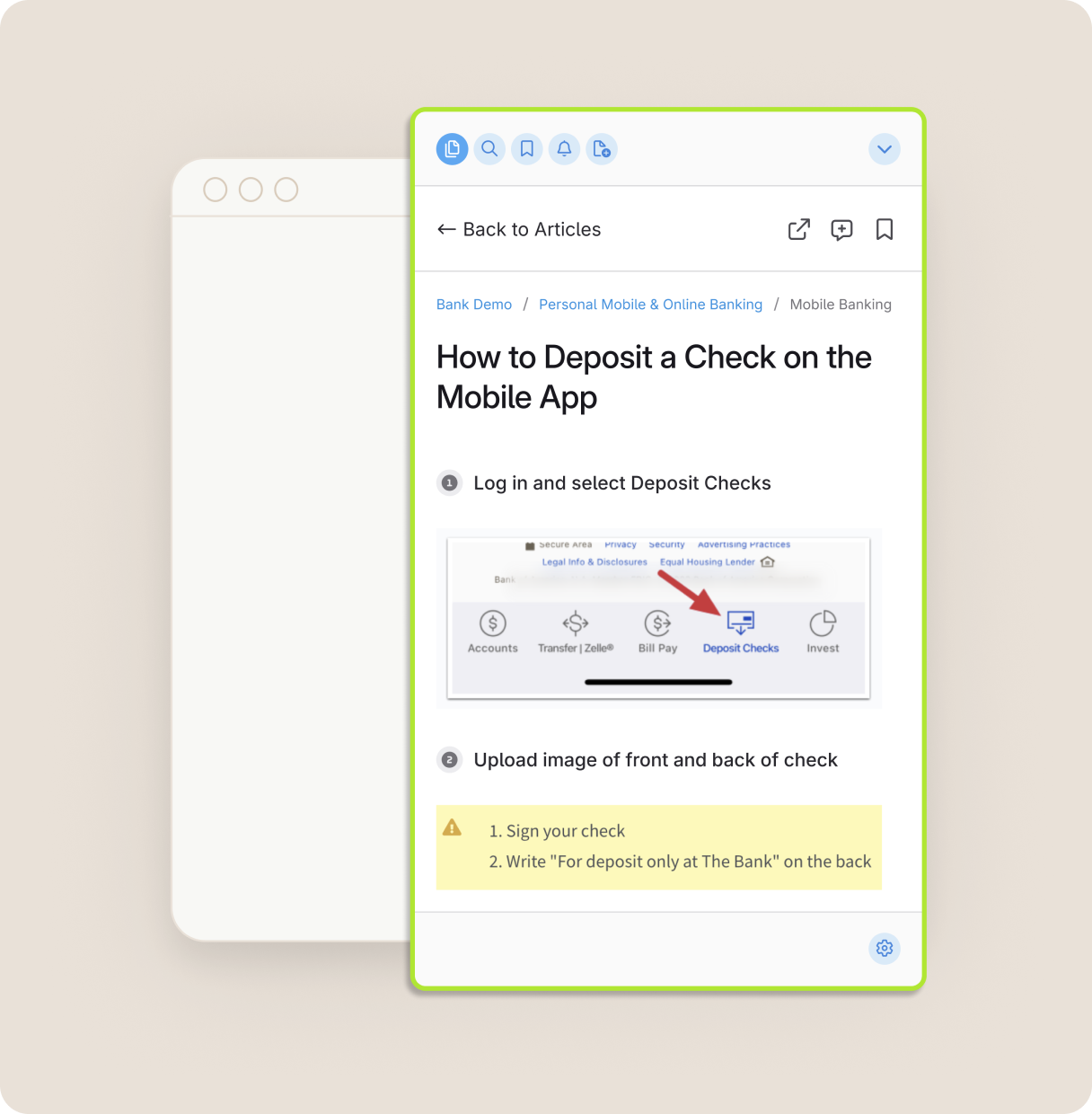
Deliver step-by-step guides to employees' fingertips

Put trusted answers at your employees' fingertips with the ScreenSteps knowledge hub, browser extension, and integrations.
Timeline: Ongoing

Bulk Import and Optimization of Documentation ScreenSteps Feedback Loops Clarify AI Talk to Text Article Builder Dynamic ScreenSteps Articles

Create SOPs that support expert employees

Give your employees the tools they need to succeed. Schedule a demo with the ScreenSteps team to learn more.

Book a Demo icon-arrow-right-2

The Results

How Do Better SOPs Impact Your Team?

When teams move from tribal knowledge to guided knowledge, everything changes.

Better performance

When employees have trusted guidance at their fingertips, they all work like experts. 

Faster training

No more memorization - employees find the guide they need and follow the steps. 

Shorter task time

Employees can find the information they need in seconds. No more binder hunting.

Fewer escalations

With trusted guidance, supervisors aren't bogged down with questions and mistakes.

Change resilience

Make change management a breeze with notifications and rapid authoring.

Member satisfaction

Members receive the same consistent service, regardless of the employee or branch.

Safer compliance

Ensure employees are performing the right steps every time (and confirm with analytics).

Supportive workplace

When employees have the tools they need to succeed, they are happier and stay longer.

ScreenSteps Platform Features

Create an Internal Google with SOPs for Every Question and Procedure

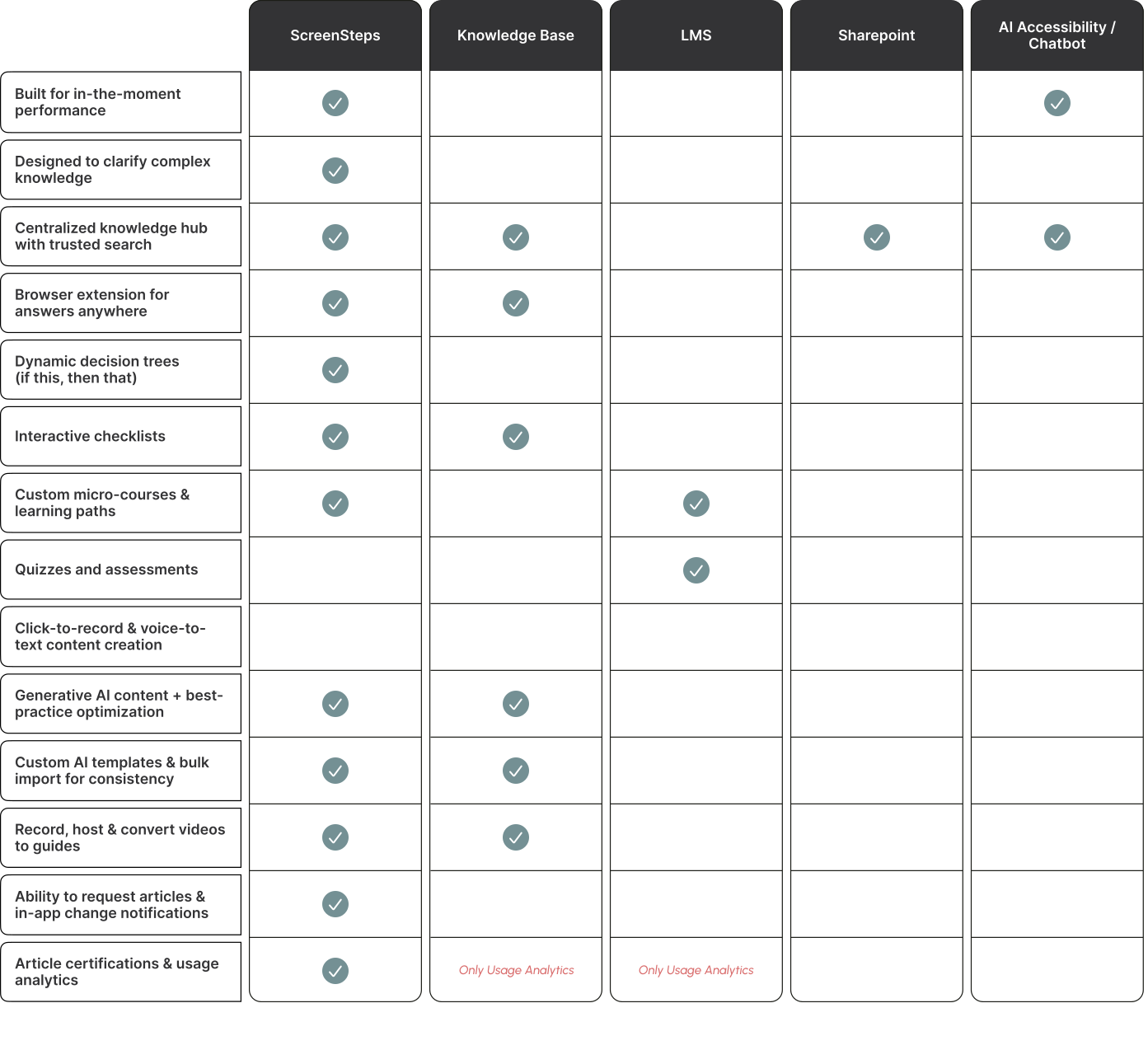
Unlike SharePoint, click-recording tools, or AI chatbots, ScreenSteps ensures that every guide is findable, followable, and trusted. Here's how.

Capture complex knowledge in seconds with AI

Get critical knowledge out of heads, PDFs, and Shared Drives with rapid authoring tools. Apply Find & Follow best practices with AI-powered tools.  

Explore Tools icon-arrow-right-2

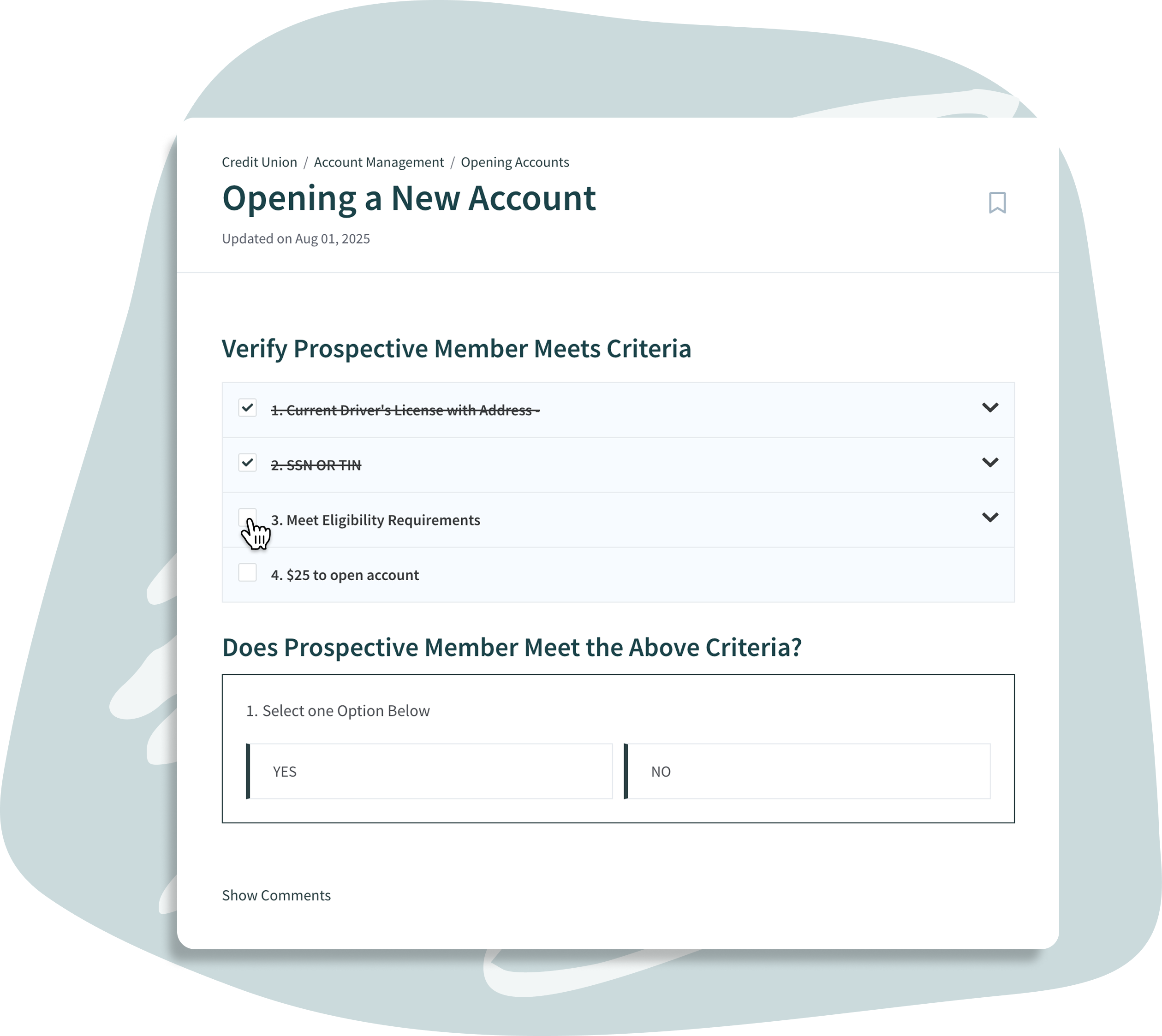
Design guides that are easy to find and follow

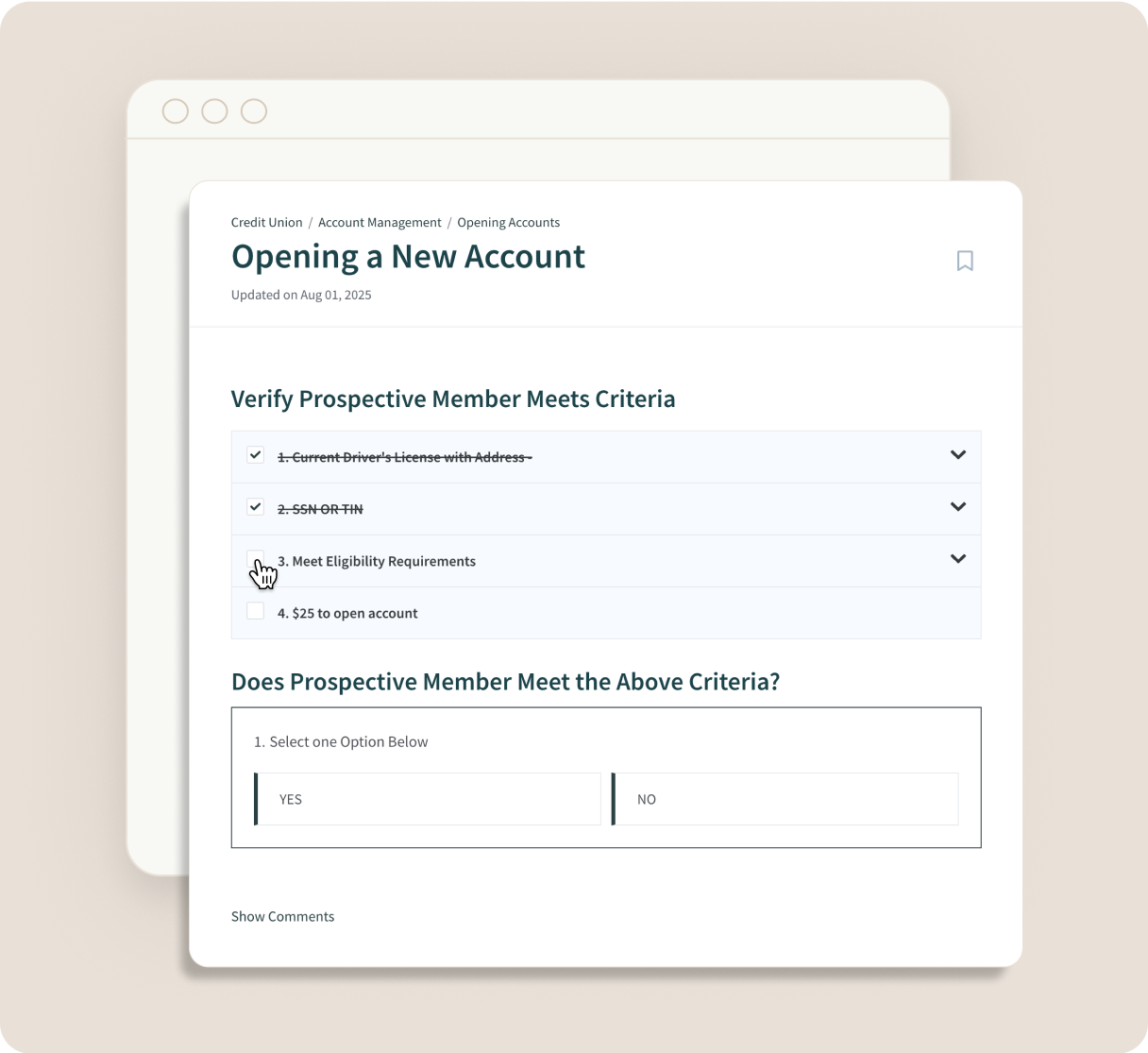
Turn complex procedures into clear, step-by-step guides. Account for nuances and decisions with workflows, and never miss a step with interactive checklists. 

Explore Digital Guides icon-arrow-right-2

Access guides anywhere with ScreenSteps Sidekick

Access your knowledge hub from any web-browser or web-app with the ScreenSteps Sidekick. Integrates directly into employee workflows. 

Learn More icon-arrow-right-2

Manage change with notifications

Keep your whole team up to date and in the loop with Notifications and Announcements. Require employee acknowledgments so you know who has seen the change.

Explore Notifications icon-arrow-right-2

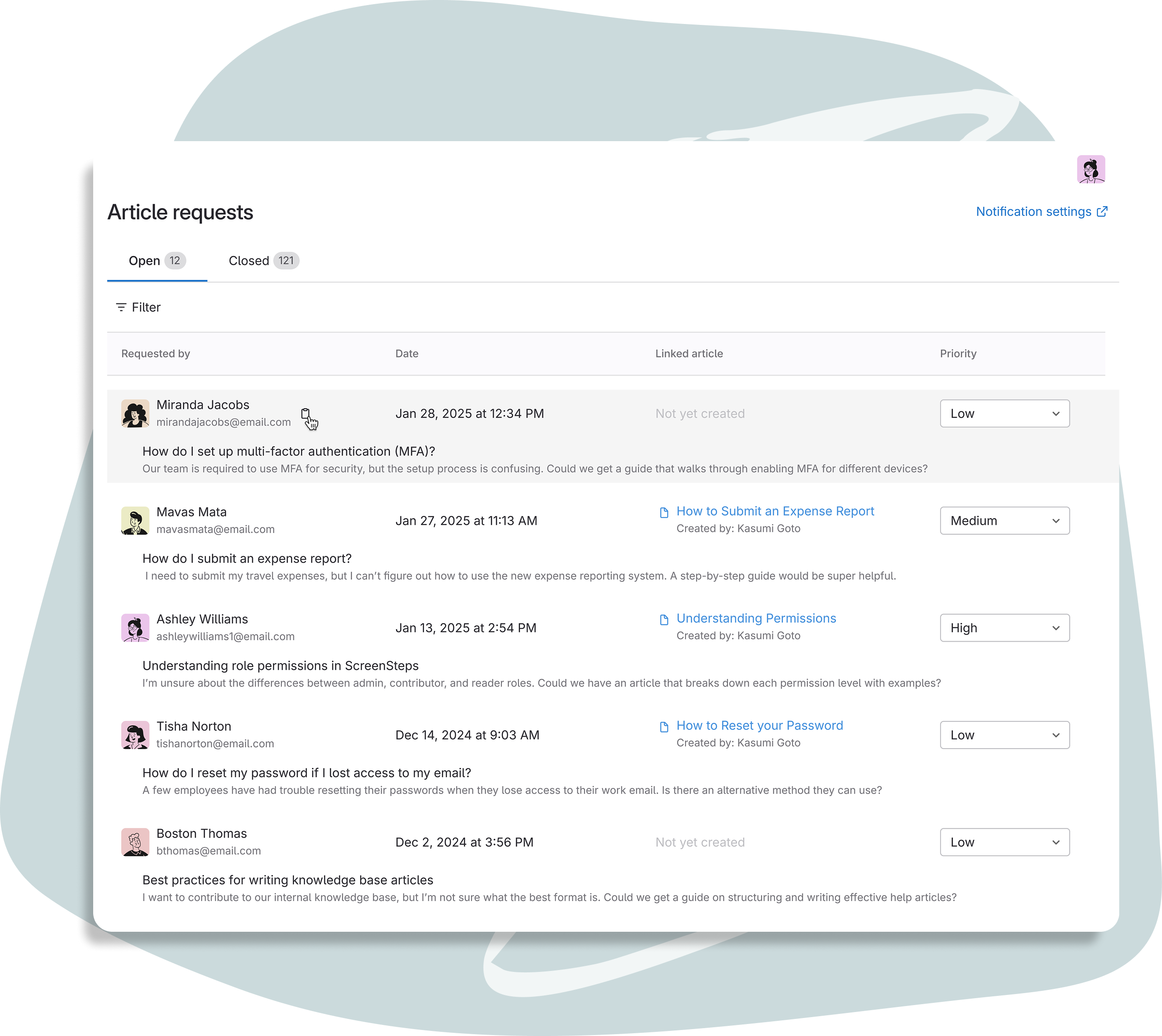
Stay up to date with feedback loops

Keep your knowledge accurate with Feedback Loops, designed to maintain steady communication between authors, admins, and users. 

Explore Feedback Loops icon-arrow-right-2

Train faster with custom Courses & Learning Paths

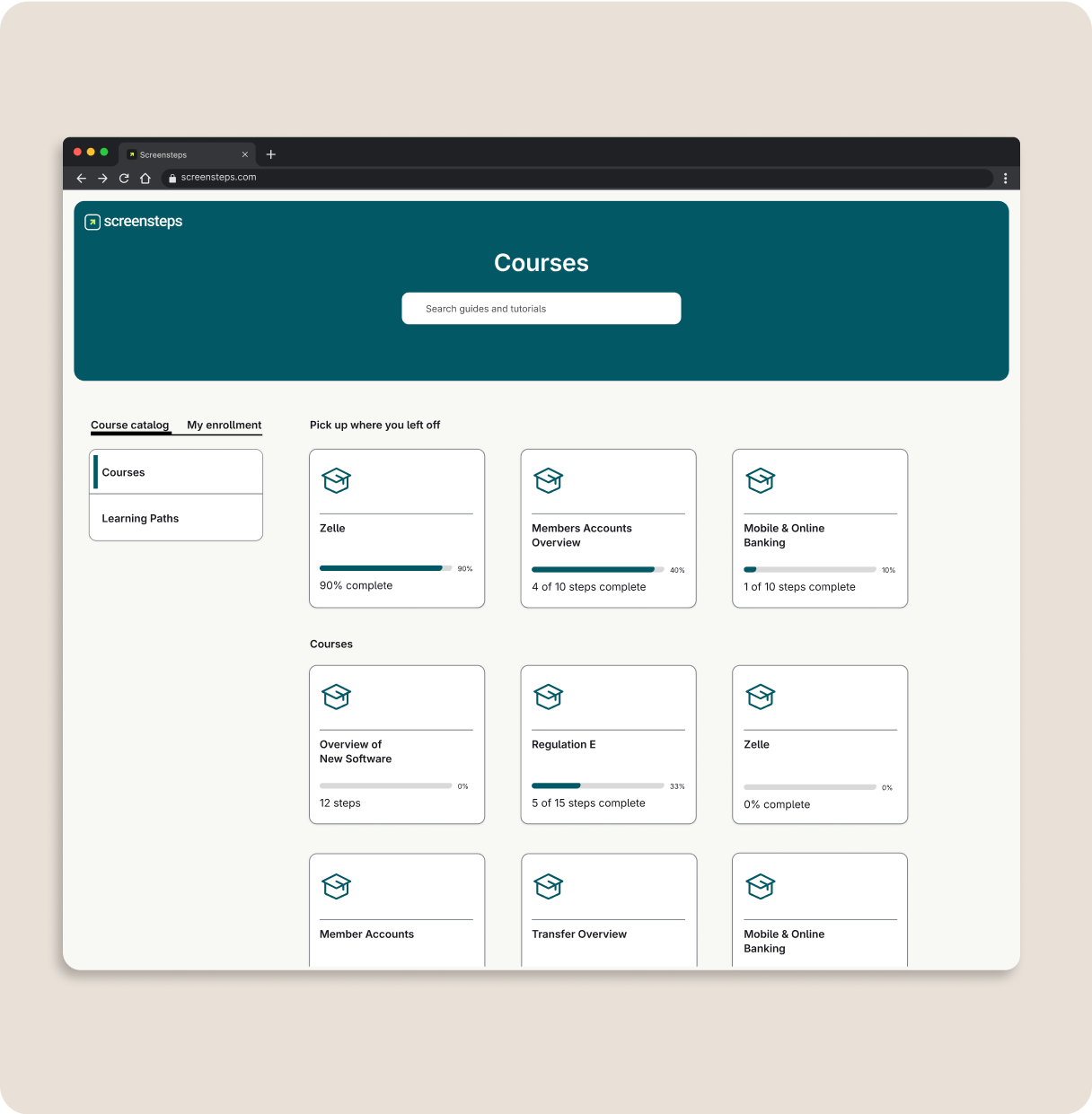
Create repeatable training programs with custom courses that enable employees to learn and grow. Combine courses into Learning Paths for continuous learning. 

Explore Courses icon-arrow-right-2

"I just put in some bullet points, add screenshots, and click Clarify. What used to take me days, I can now do in less than an hour."
— Claire Smith
Assistant Branch Manager, Acclaim Federal Credit Union
Woman confidently working on computer
"Whenever I get to create a new guide, I get excited. I love using ScreenSteps, and I love that I’m helping staff feel confident."
— Christine Alward
AVP Member Experience, Jeanne D'Arch Credit Union
Happy credit union employee
"I LOVE the AI tools for getting knowledge out of my head. What would have probably taken me a month to do, I was able to get done in about a day’s worth of work."
— Mandy Burton
Processing Department Manager, Heritage South Credit Union
Confident credit union employee working independently
"It’s been great to get everyone involved in capturing what they know. They’re building resources to empower their coworkers so everyone can work more confidently."
— ACH Manager
CommunityWide Federal Credit Union
Woman working at computer

The ScreenSteps Difference

How ScreenSteps Compares to the Alternatives

ScreenSteps by competitors

Customer Success Stories

How Teams are Thriving with SOPs Built with ScreenSteps

Frequently Asked Questions

Who needs to be involved in an SOP project with ScreenSteps?

Can we use our existing SOP documents as a starting point?

How long does it take to create SOPs with ScreenSteps?

Do employees need special training to use ScreenSteps?

What makes ScreenSteps different from SharePoint, AI chatbots, or click recording tools?

Can I use AI to help create SOPs in ScreenSteps?

Is ScreenSteps only for SOPs?

How do I know if employees are using the SOPs?

Can I use ScreenSteps to feed SOP data to Copilot, ChatGPT, or other AI chatbots?

Turn Every Employee into an Expert

Stop expecting employees to memorize every step and click. Put trusted answers directly at employees' fingertips for confident, consistent service. 

Get a Demo icon-arrow-right-2