Container (7)

Software for personal injury law firms to capture SOPs and guide daily work

Turn intake and case procedures into trusted, step-by-step guidance your team follows every time.

ScreenSteps for Law Firms

Turn complex protocols into consistent execution

Whether it’s intake, reception, paralegals, or attorneys, personal injury firms operate in constant motion. Staff need to juggle complex protocols and make quick decisions, often with inconsistent training and outdated documentation. Expecting people to memorize every step or hunt for answers in real-time just doesn’t work.

ScreenSteps ensures consistent case management by turning complex policies and case workflows into clear, step-by-step guidance your staff can follow during live work.

With structured training and firm-approved SOP guides, every intake call is handled consistently, cases move forward the same way across teams, and staff execute with confidence.

ScreenSteps for Law Firms

How It Works

From chaos to clarity in days

Firm-Wide Impact

When everyone executes consistently,
clients and staff win

From intake to case management, give your entire firm the trusted resources they need to
perform with confidence, consistency, and accuracy. 

ScreenSteps Platform Features

Create a single source of operational truth for every role at your firm

Capture, deliver, and maintain trusted SOPs in a centralized knowledge hub for fast training and consistent employee execution at every level of the firm. 

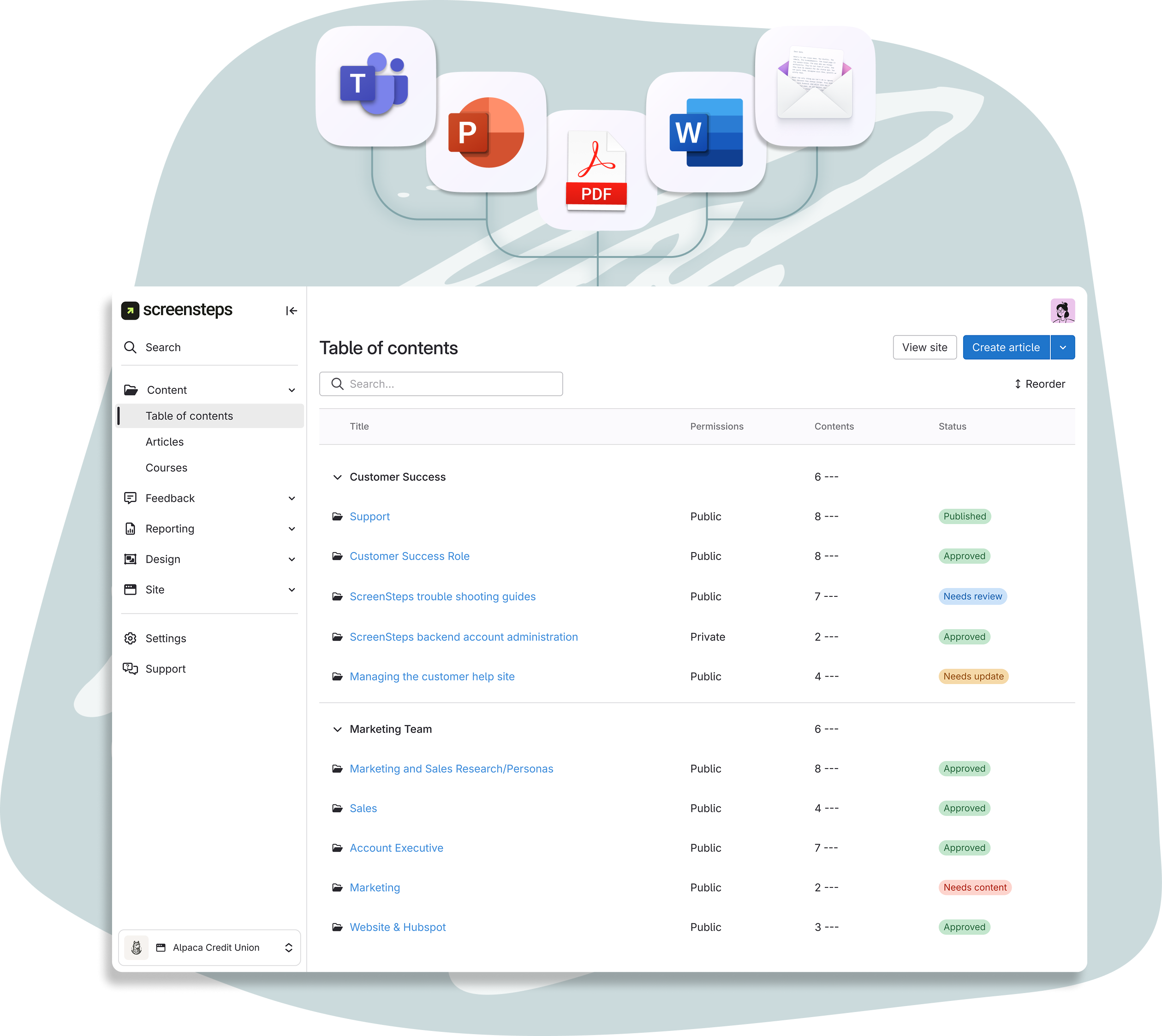
Capture complex knowledge in minutes

Get critical knowledge out of heads, PDFs, and Shared Drives in minutes, not hours. Apply SOP best practices with a single click for clarity and usability.  

Explore Authoring Tools icon-arrow-right-2

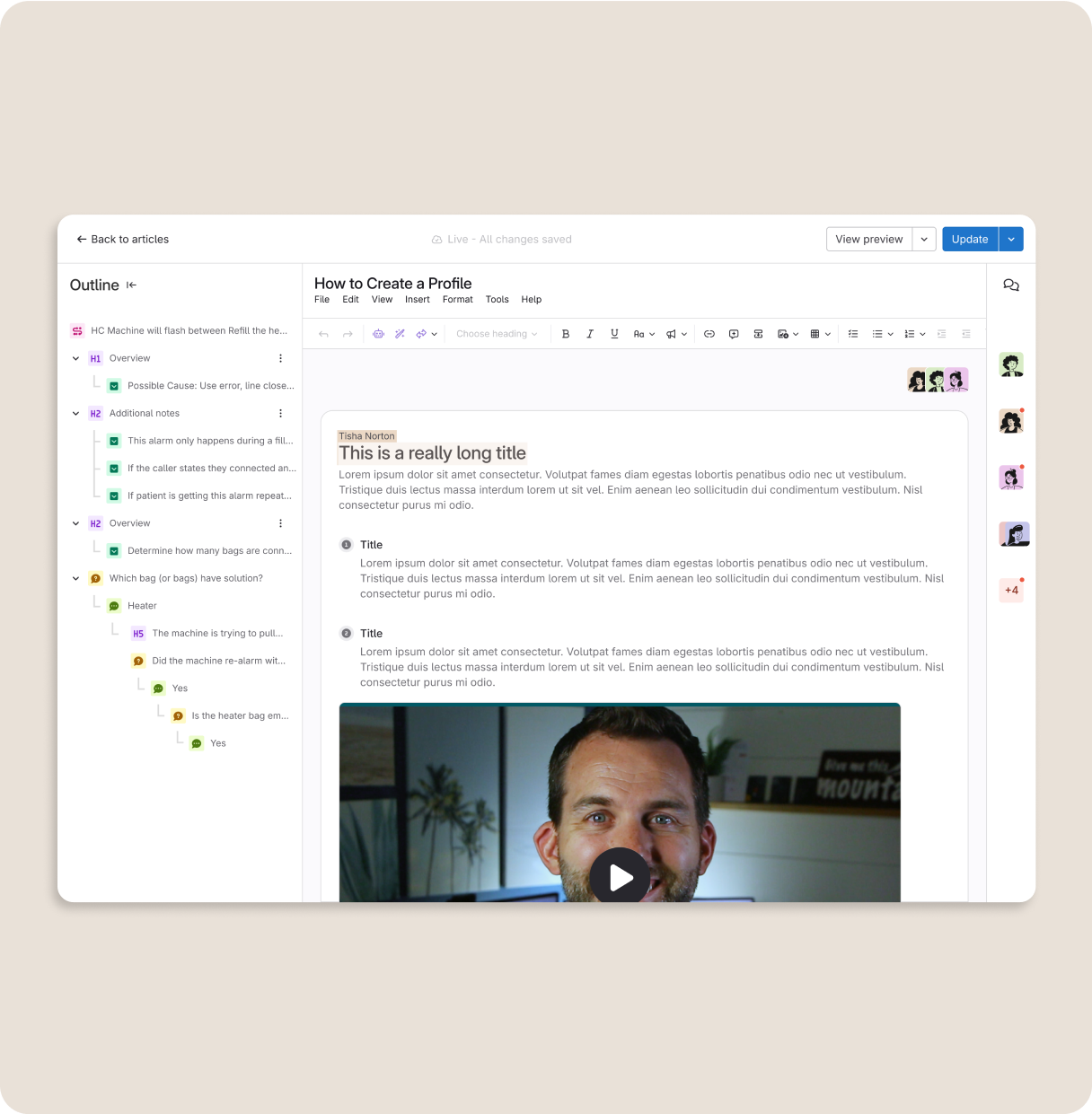
Design SOPs built to support on-the-job execution

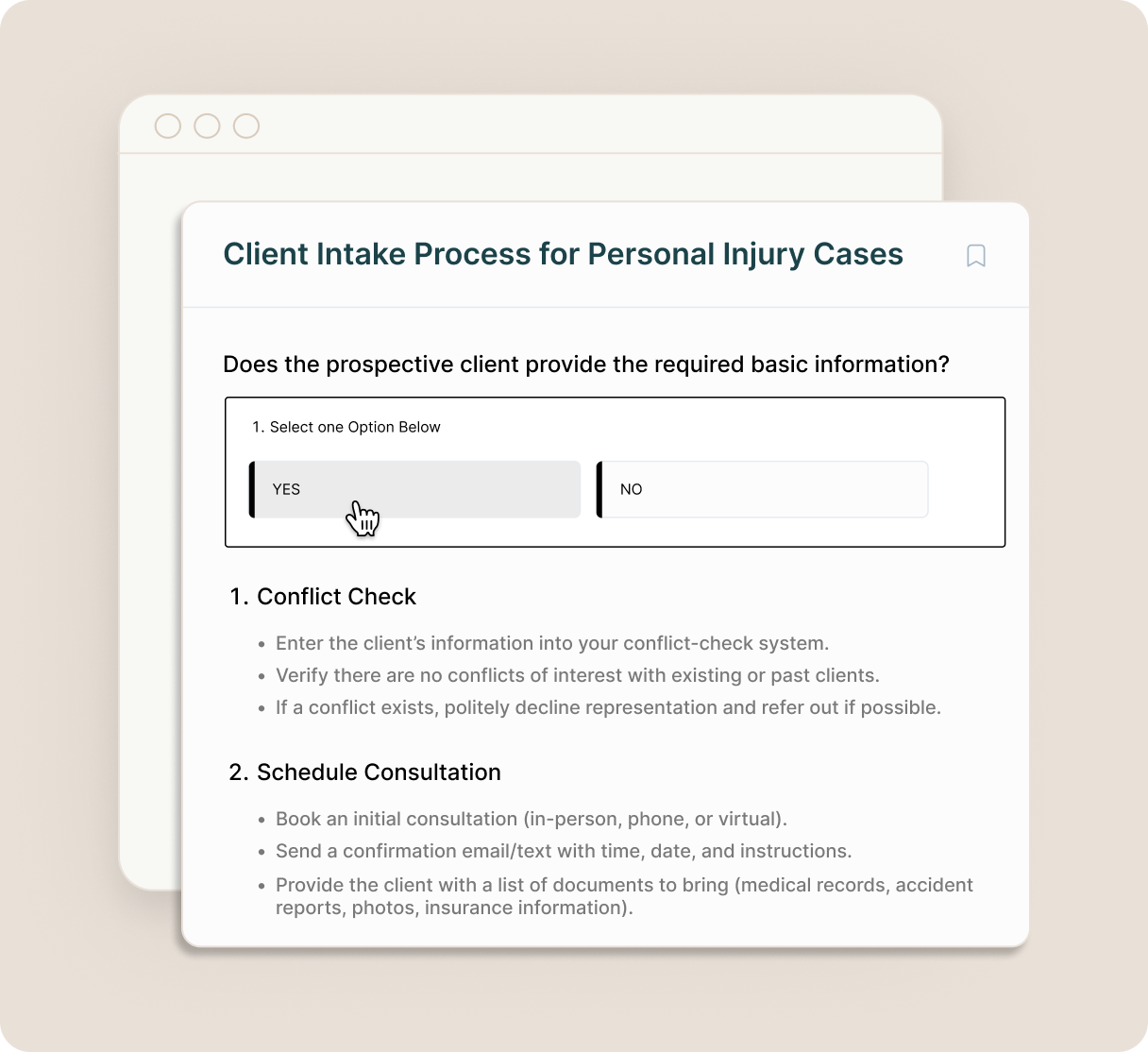
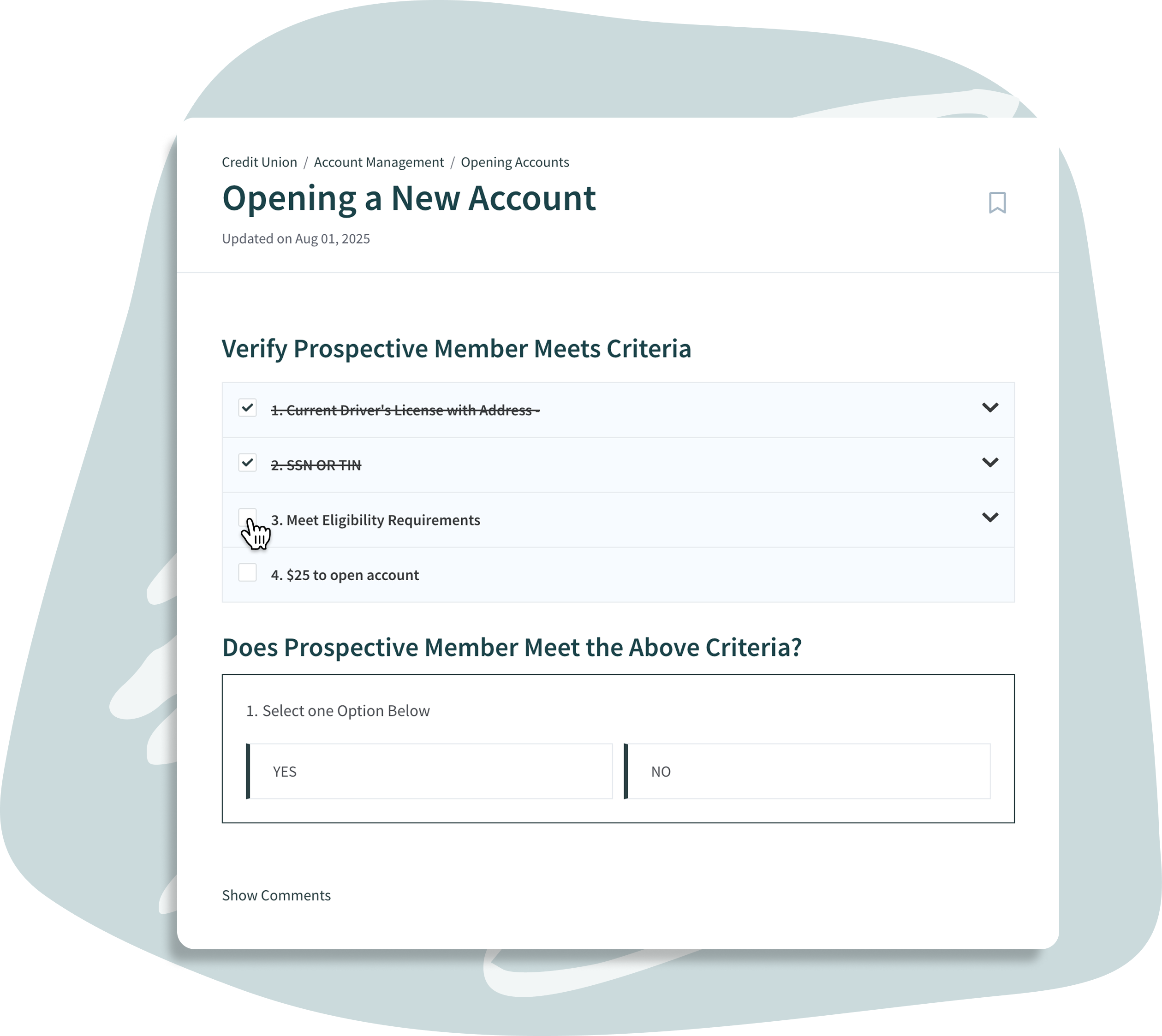
Turn complex procedures into clear, step-by-step guides. Account for nuances and decisions with workflows, and never miss a step with interactive checklists. 

Explore Digital Guides icon-arrow-right-2

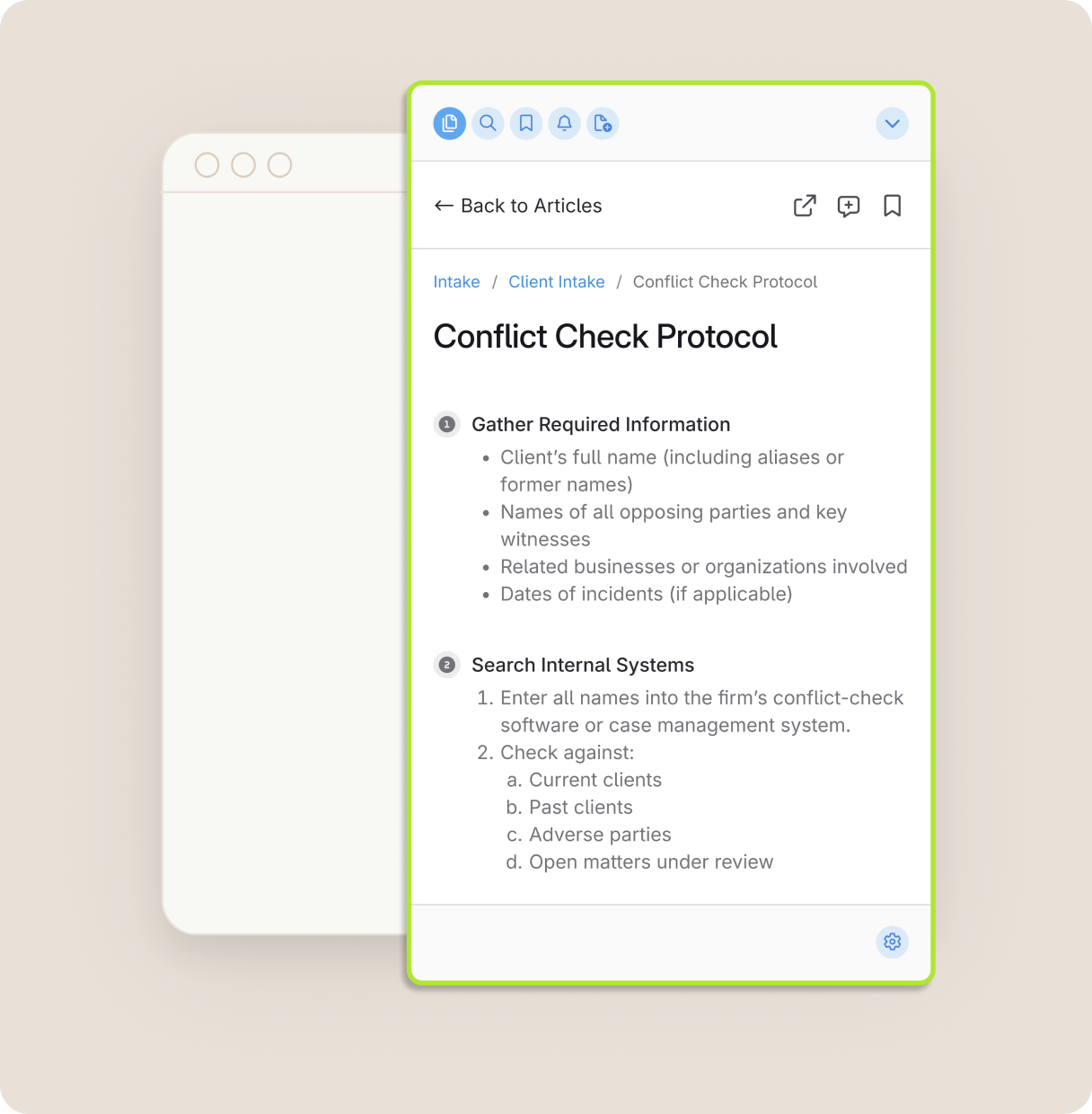
Access guides anywhere with ScreenSteps Sidekick

Access your knowledge hub from any web-browser or web-app with the ScreenSteps Sidekick. Integrates directly into employee workflows. 

Learn More icon-arrow-right-2

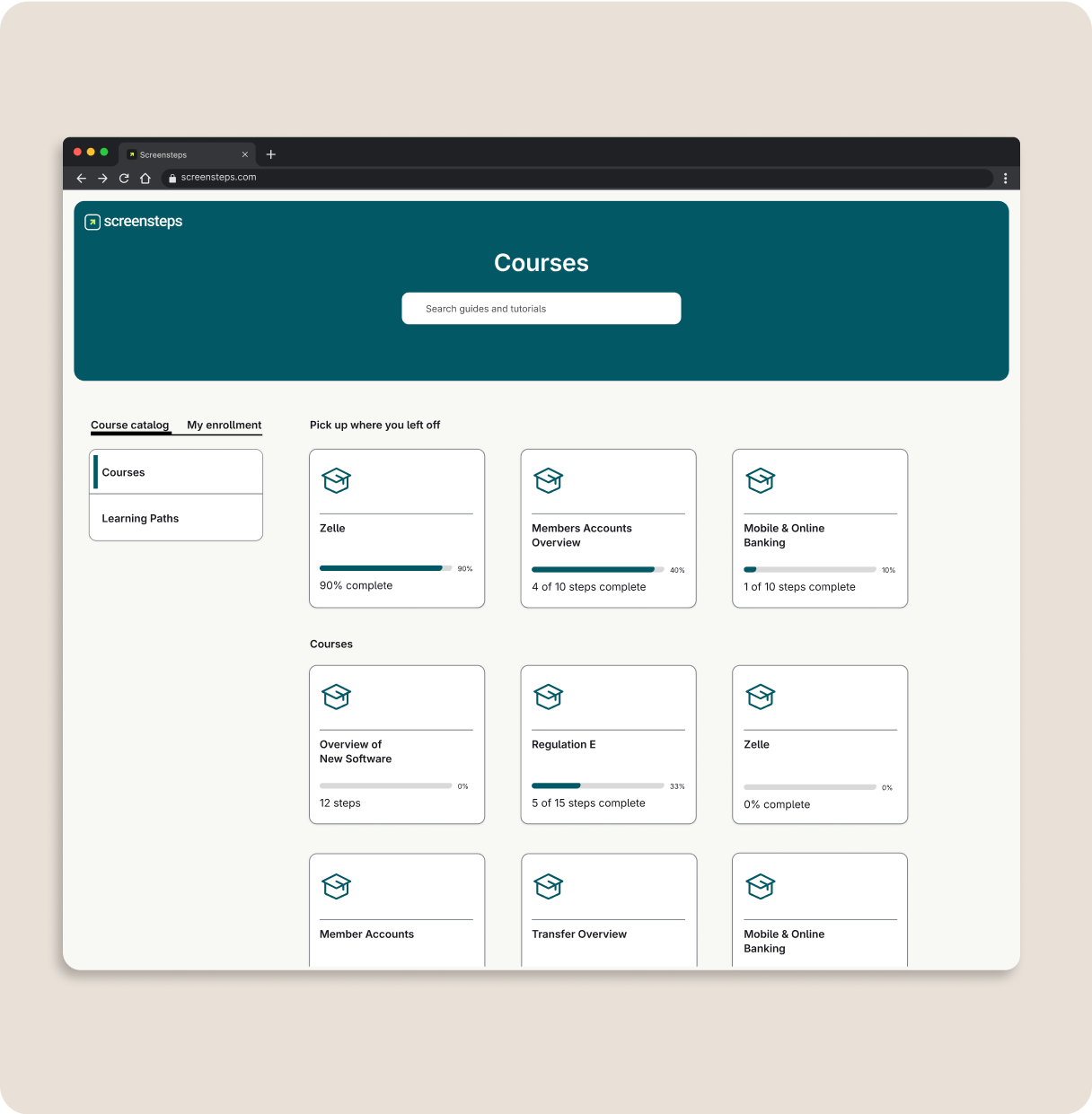
Train and onboard faster with custom courses

Create repeatable training programs with custom courses that onboard employees quickly and efficiently. Combine courses into Learning Paths for continuous learning. 

Explore Courses icon-arrow-right-2

Take the chaos out of change management

Keep your whole team up to date and in the loop with Notifications and Announcements. Require employee acknowledgments so you know who has seen the change.

Explore Notifications icon-arrow-right-2

Keep knowledge up to date with feedback loops

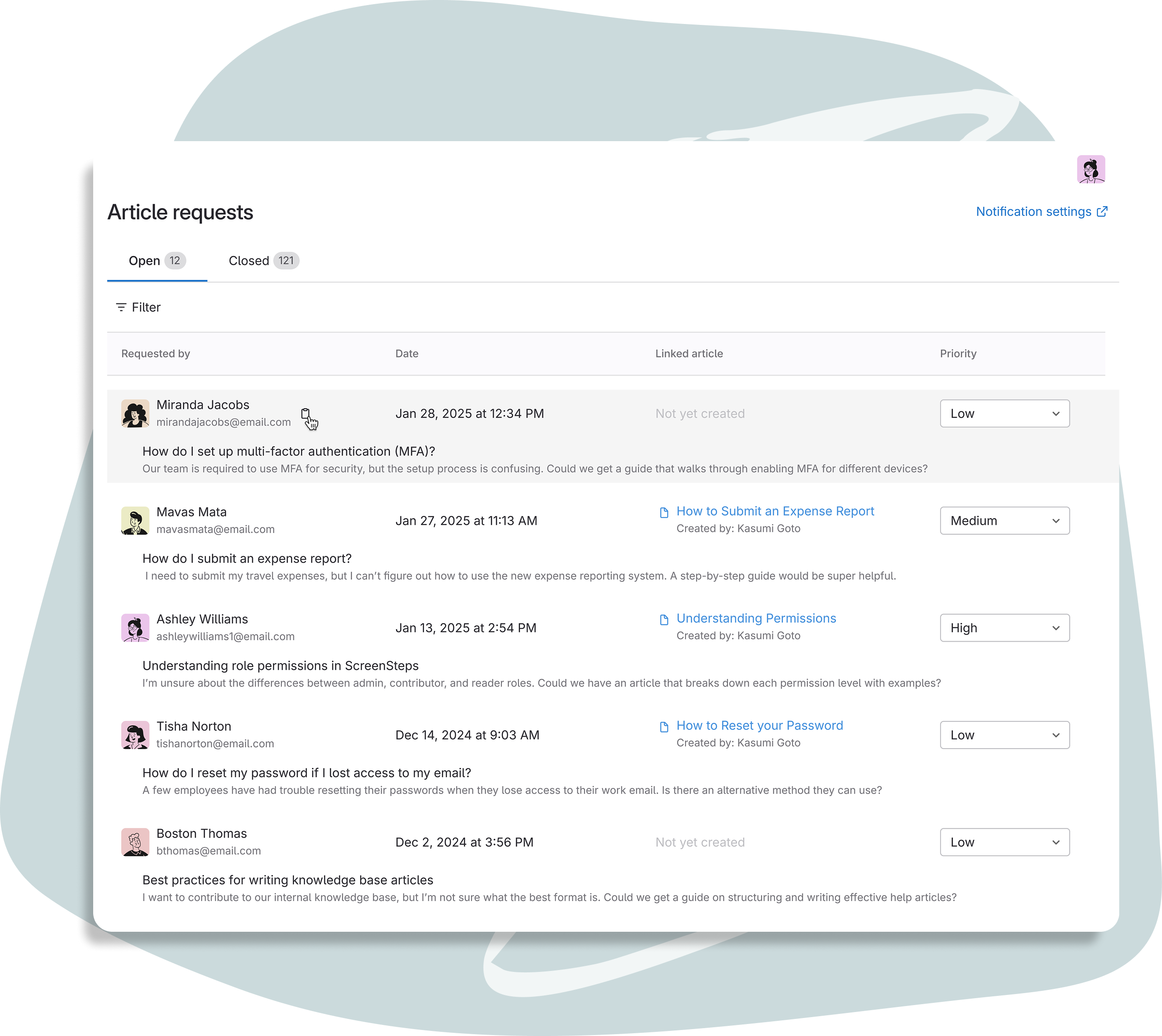
Keep your knowledge accurate with Feedback Loops, designed to maintain steady communication between authors, admins, and users. 

Explore Feedback Loops icon-arrow-right-2

Discover how you can support consistent employees at your personal injury law firm

Give your employees the tools they need to work confidently and consistently, right away. Schedule a demo with the ScreenSteps team to learn more.

Book a Demo icon-arrow-right-2

How It Works

From chaos to clarity in days

Putting trusted answers at employees' fingertips is easier than you think.
With ScreenSteps, you can be up and running in just a week or two. 

Import + optimize all of your existing, scattered docs

Start by importing all of your existing, scattered docs into ScreenSteps. Use AI to transform documentation into optimized guides with a single click.
Timeline: 5 minutes per guide optimization

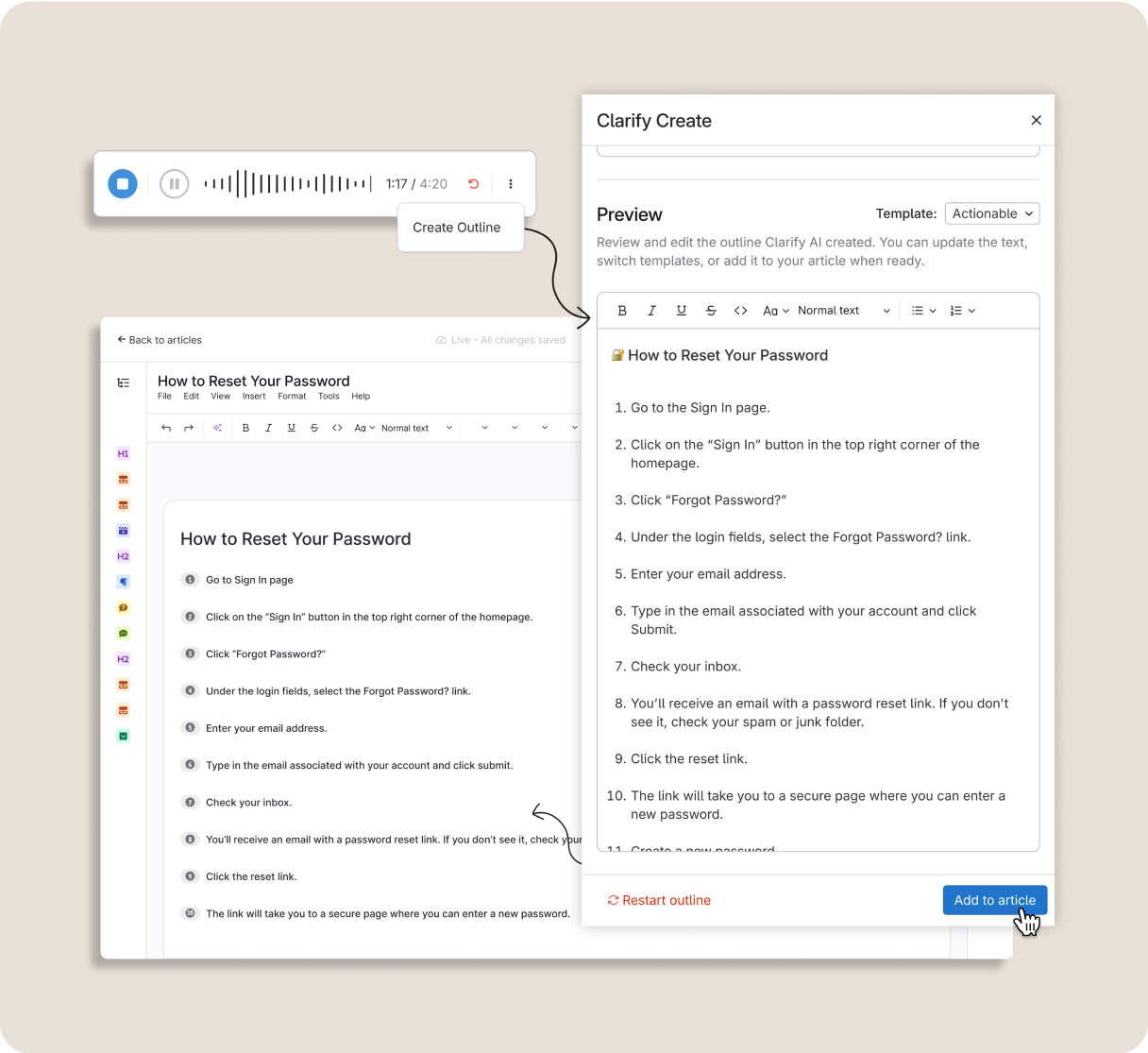
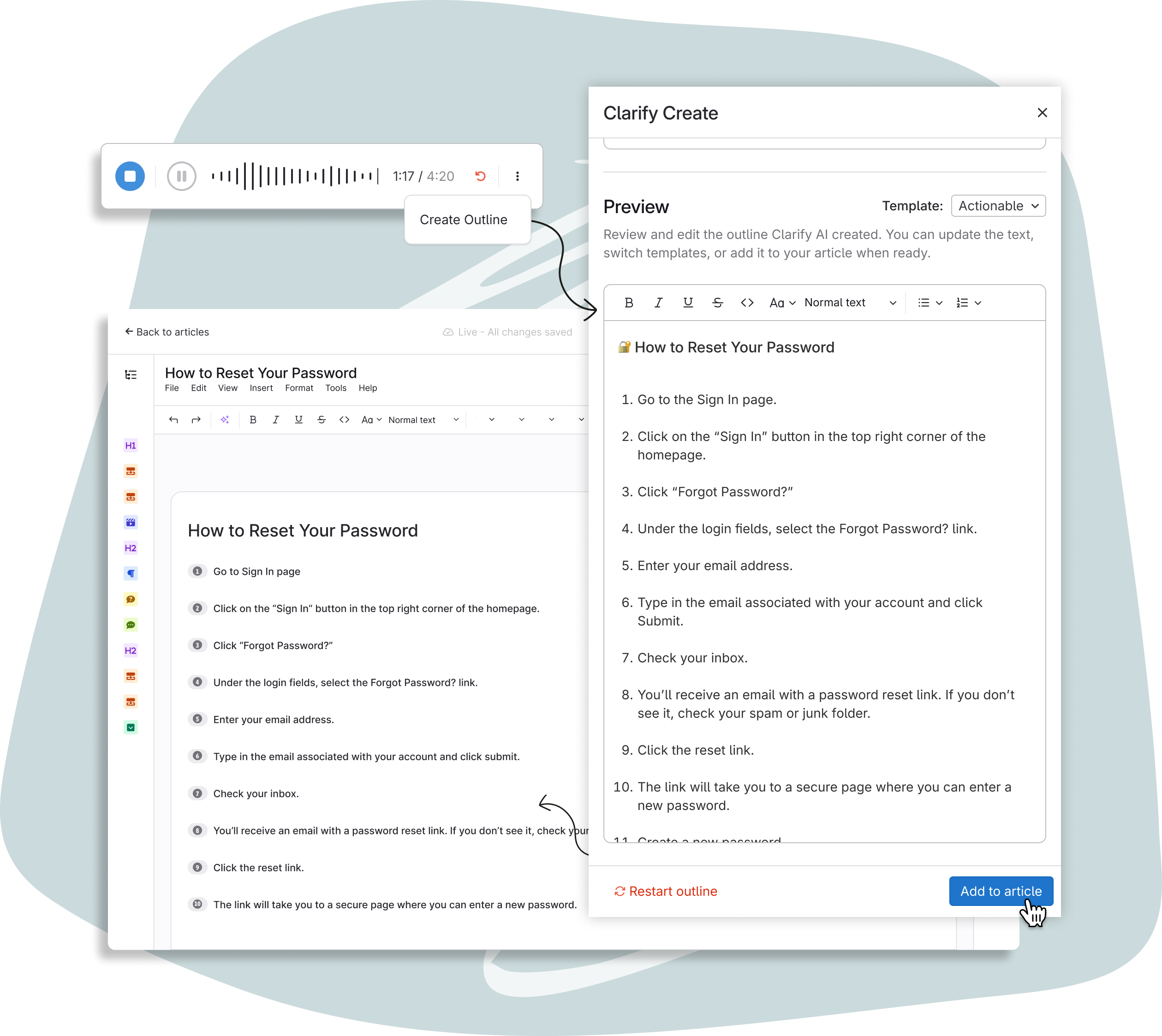
Fill the gaps with AI-powered authoring tools

Use Clarify AI to quickly get tribal knowledge out of SME's heads and into dynamic guides that walk employees through complex processes.
Timeline: 5-7 minutes per guide creation

Deliver step-by-step guides to employees' fingertips

Put trusted answers at your employees' fingertips with the ScreenSteps knowledge hub, browser extension, and integrations.
Timeline: Ongoing

Optimize over time for continued accuracy & performance

Leverage analytics, feedback loops, and in-app notifications to ensure your knowledge stays accurate.
Timeline: Ongoing

Bulk Import and Optimization of Documentation Clarify AI Talk to Text Article Builder Dynamic ScreenSteps Articles ScreenSteps Feedback Loops
"ScreenSteps helps our intake calls go so much smoother. More importantly, it ensures potential clients get the information they need and feel confident they called the right firm."
— Lindsay Marr
Operations Analyst and Head of Training
Happy credit union employee
"The Sidekick browser extension has been a game-changer for our intake and reception teams. They can bookmark what they need and quickly reference it from within our CRM while on a call. "
— Lindsay Marr
Operations Analyst and Head of Training
Woman confidently working on computer
"Paralegals were always assigned a case early on. The difference now is how prepared they feel. They’ve already done it all in training, so it doesn’t feel new or overwhelming."
— Lindsay Marr
Operations Analyst and Head of Training
Confident credit union employee working independently

The Results

How does ScreenSteps impact operations & training at personal injury law firms?

When PI law firms move from tribal knowledge to guided knowledge, teams work more confidently and consistently. 

Total consistency

When employees have trusted answers at their fingertips, everyone works the same way.

Faster training

No more memorization - employees find the help guide they need and follow the right steps. 

Shorter task time

Employees can find the information they need in seconds. No more binder hunting.

Fewer escalations

With trusted guidance, supervisors aren't bogged down with questions and mistakes.

Change resilience

Make change management a breeze with notifications and rapid authoring.

Client satisfaction

Clients receive the same consistent service, regardless of the employee they talk to.

Safer compliance

Ensure employees are performing the right steps every time (and confirm with analytics).

Supportive workplace

When employees have the tools they need to succeed, they are happier and stay longer.

The ScreenSteps Difference

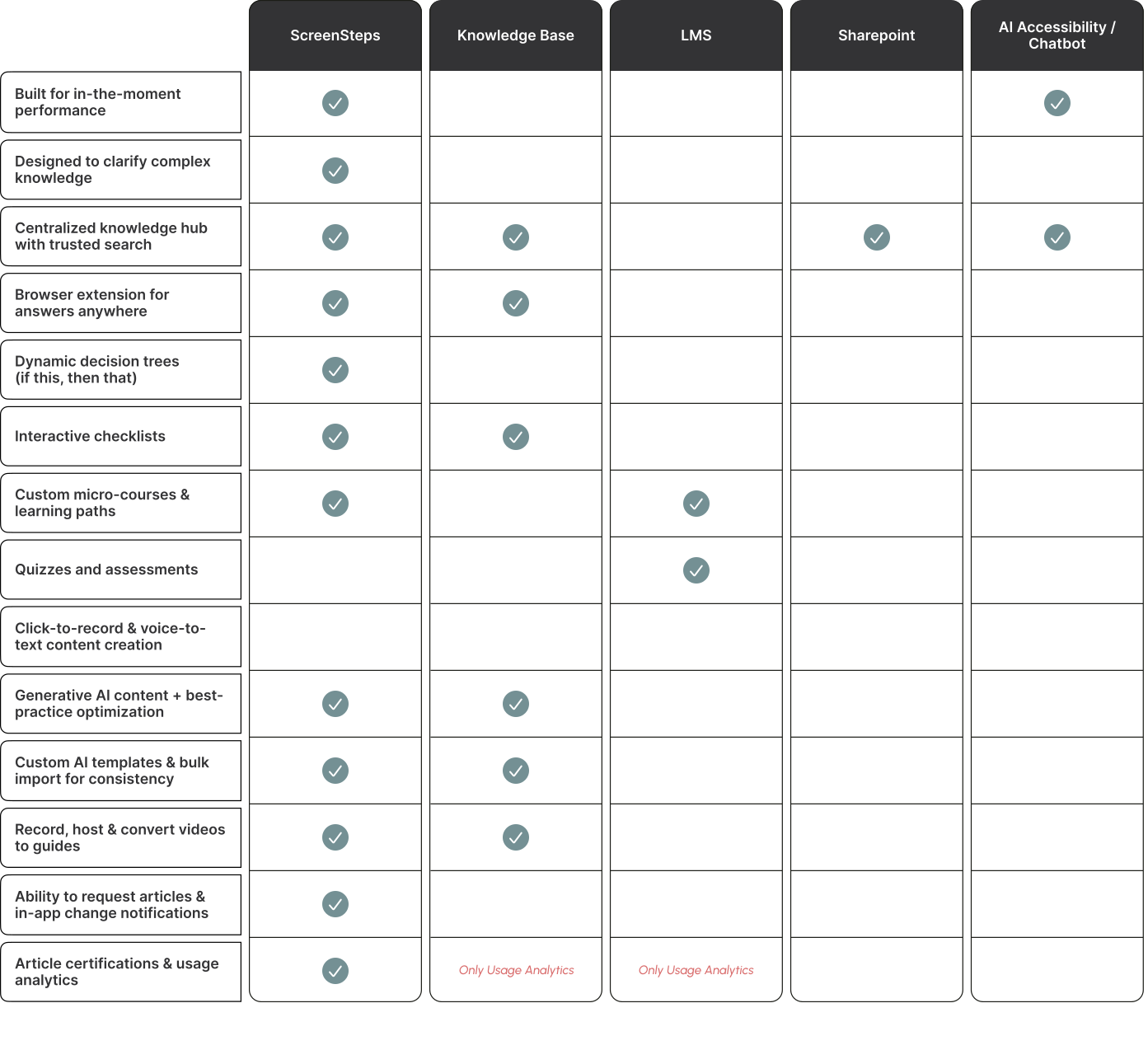
How ScreenSteps compares to the alternatives

ScreenSteps by competitors

Frequently asked questions

What is ScreenSteps and how does it support law firms?

How does ScreenSteps help us train new staff members faster?

How does ScreenSteps support in-the-moment performance?

Can ScreenSteps support training for attorneys and specialized roles?

How is ScreenSteps different from a traditional LMS or training manual?

What happens when procedures or systems change?

Build Expert-Level Confidence Across Your Firm

Support intake, paralegal, and legal ops with training & support that speeds up onboarding and improves performance.

Get a Demo icon-arrow-right-2