ScreenSteps Sidekick Browser Extension

Put trusted procedures where the work happens.

Give employees instant access to the guidance they need, right inside the web applications they use every day. With Sidekick, they can find and follow even your most complex procedures without leaving their workflow.


Procedure Lifecycle Flywheel

How Sidekick supports
the procedure lifecycle.

Sidekick brings trusted guidance directly into the flow of work, helping employees find and follow procedures, stay informed, and capture new knowledge without switching applications.

  • Available everywhere

    Access guidance inside virtually any web application.

  • Optimize icon

    Follow with confidence

    Complete complex procedures with step-by-step guidance.

  • Capture new SOPs in minutes

    Record workflows and turn them into SOPs with AI.


Do It Right With ScreenSteps Sidekick

Don't just find the answer. Follow the procedure.

Employees don't always need another document or a quick answer. Sometimes they need help making the right decisions, handling exceptions, and completing a complex task. Sidekick delivers trusted SOPs, interactive decision trees, and step-by-step guidance right alongside the work.

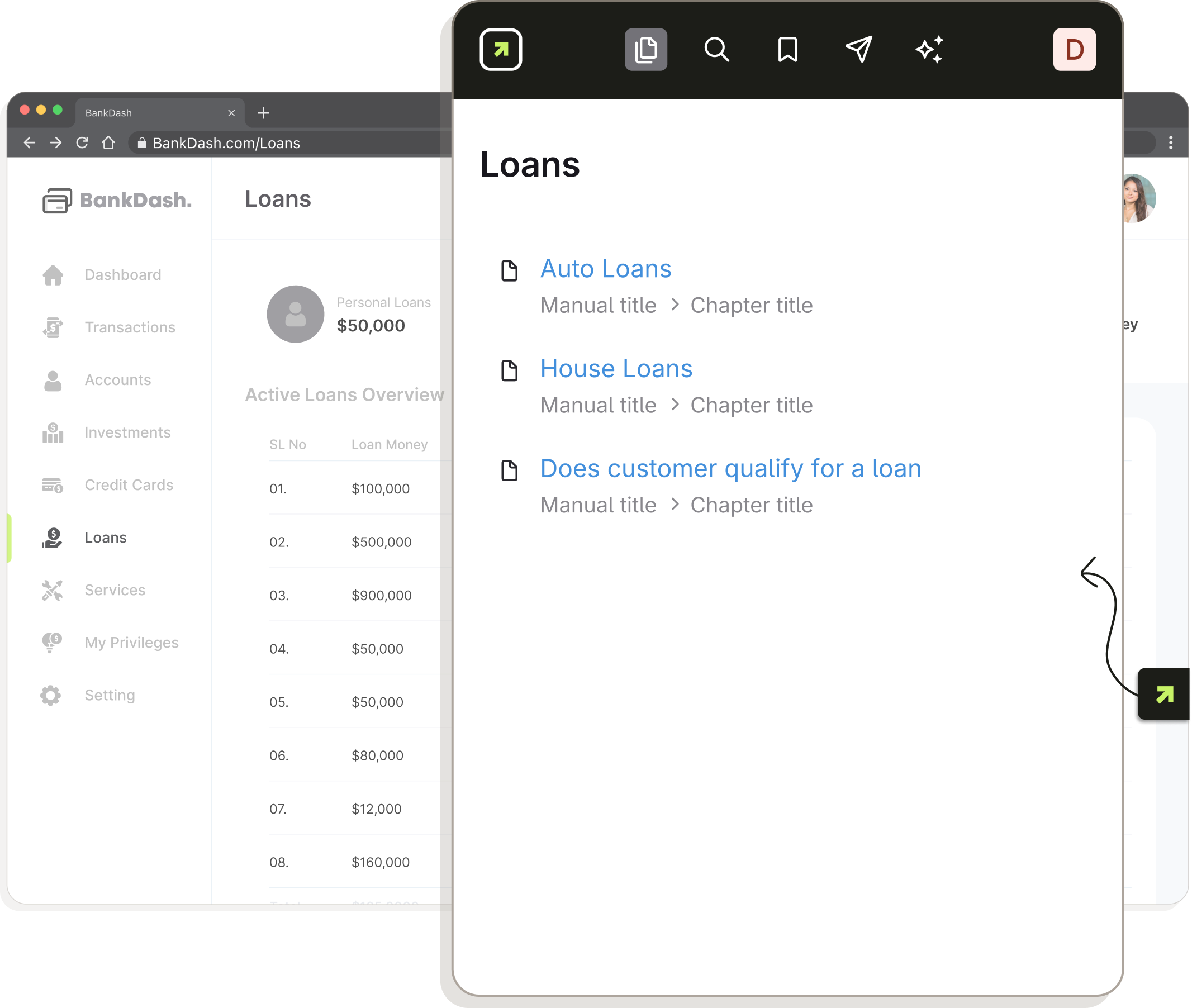
ScreenSteps Sidekick browser extension interface with different ways to access SOPs. Includes search, smart suggestions, AI chat, and notifications.

Access trusted procedures without switching applications

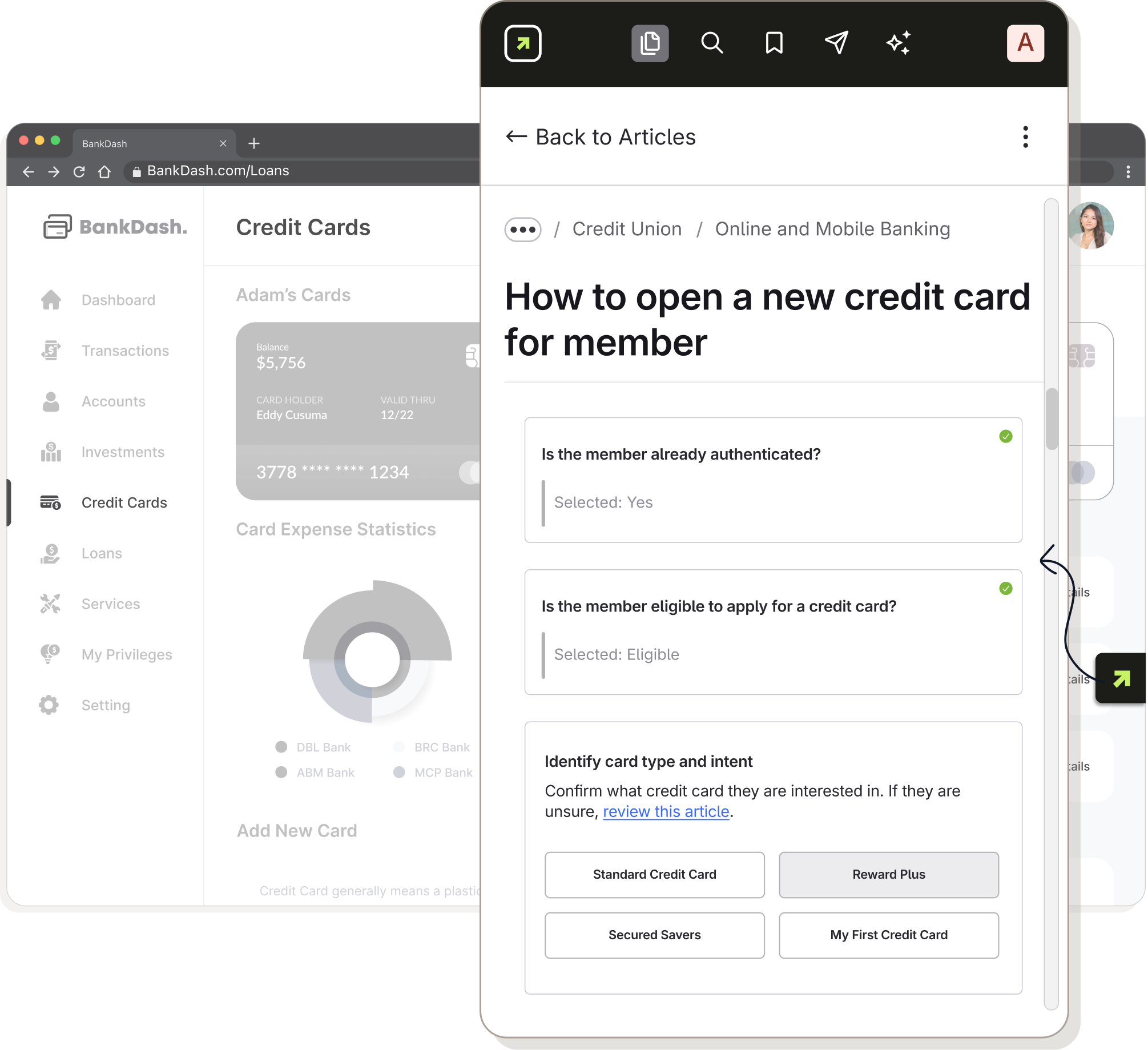
Sidekick puts your ScreenSteps procedures right alongside the systems employees use every day. Whether they're working in a CRM, core system, or another web application, they can search, bookmark, and follow guidance without leaving their workflow.

  • Access your full knowledge base from inside any web app
  • Follow trusted SOPs without leaving your window
  • Ensure consistency with guidance for complex tasks
Accessing ScreenSteps procedure decision tree in browser

Get relevant guidance before you even search

Sidekick recognizes the web page or application screen an employee is using and recommends relevant procedures automatically. That means less searching, fewer interruptions, and faster access to the guidance they need for the task at hand.

  • Instantly surface the right SOPs, every time
  • Customize for different URLs and screens inside web apps
  • Simple, no-code setup for fast deployment
Using smart suggestions to find ScreenSteps procedures

Get trusted answers, not AI-generated guesses

Employees can ask questions naturally and get answers grounded in approved procedures. For simple questions, Sidekick can provide a direct answer. For complex tasks, it guides employees to the right decision tree, checklist, or step-by-step procedure instead of leaving them to interpret a chatbot response.

  • Answers come only from your knowledge base
  • Provides the best format for performance
  • Ask questions naturally, no keywords required
Using ScreenSteps chat to find procedure

Keep employees informed as procedures change

When important procedures change, employees need to know. Sidekick delivers notifications directly into their workflow, so they can see what's new, review updated guidance, and acknowledge important changes without leaving the tools they use every day.

  • Get important updates about procedure changes in Sidekick
  • Require acknowledgment so you know who saw the update
  • Keep the whole team up to date
Sending notifications through ScreenSteps Sidekick

Get It Right With ScreenSteps Sidekick

Capture a procedure while you're doing it.

The best time to capture a procedure is often while you're actually performing it. With Clarify AI Create built into Sidekick, you can record your screen, talk through the steps, and turn the process into a structured SOP with screenshots in minutes.

  1. Step 1

    Walk through a process

    Hit record, then click and talk through a procedure, just like you're explaining it to someone else.

  2. Step 2

    Automatically optimize the SOP

    ScreenSteps AI will automatically turn verbal instructions into actionable steps and pull in any helpful screenshots.

  3. Step 3

    Review, approve, and publish

    Review and refine your AI-generated procedure, then approve it before making it available to employees.

Process flow of using ScreenSteps Sidekick browser extension to generate new SOPs automatically

I love that ScreenSteps works right where our employees work. They use the guides while talking with a member. To the member, it just feels like they’re talking to an expert.

Christine Alward AVP Member Experience, Jeanne D'Arch Credit Union

Frequently asked questions

What is the ScreenSteps Sidekick browser extension?

What browsers does ScreenSteps Sidekick support?

Does Sidekick work with desktop applications?

How does ScreenSteps Sidekick provide Smart Suggestions?

What is Ask ScreenSteps Chat?

How is Ask ScreenSteps different from an AI chatbot?

Can I create SOPs directly from Sidekick?

What systems can ScreenSteps Sidekick work inside?

Can employees receive notifications inside Sidekick?

What types of guides can employees access in Sidekick?

See Sidekick running inside your team's workflow

Book a 30-minute demo and we'll show you exactly how Sidekick delivers trusted answers inside any web app your team already uses.

See Sidekick in Action icon-arrow-right-2